Make an introduction
Log in, open the gold Virtual Marimba 3D button and tell your teacher what to call you. New players meet Prof Rumble first.
 The Marimba StudioPlay · Learn · Create
Meet your marimba teacher. Learn a song together, turn practice into play and make every performance feel like an achievement.
Free access with limitations. Log in to begin. Unlock more with Basic, or the full feature collection with Premium and Ultimate. Available in the desktop Studio.
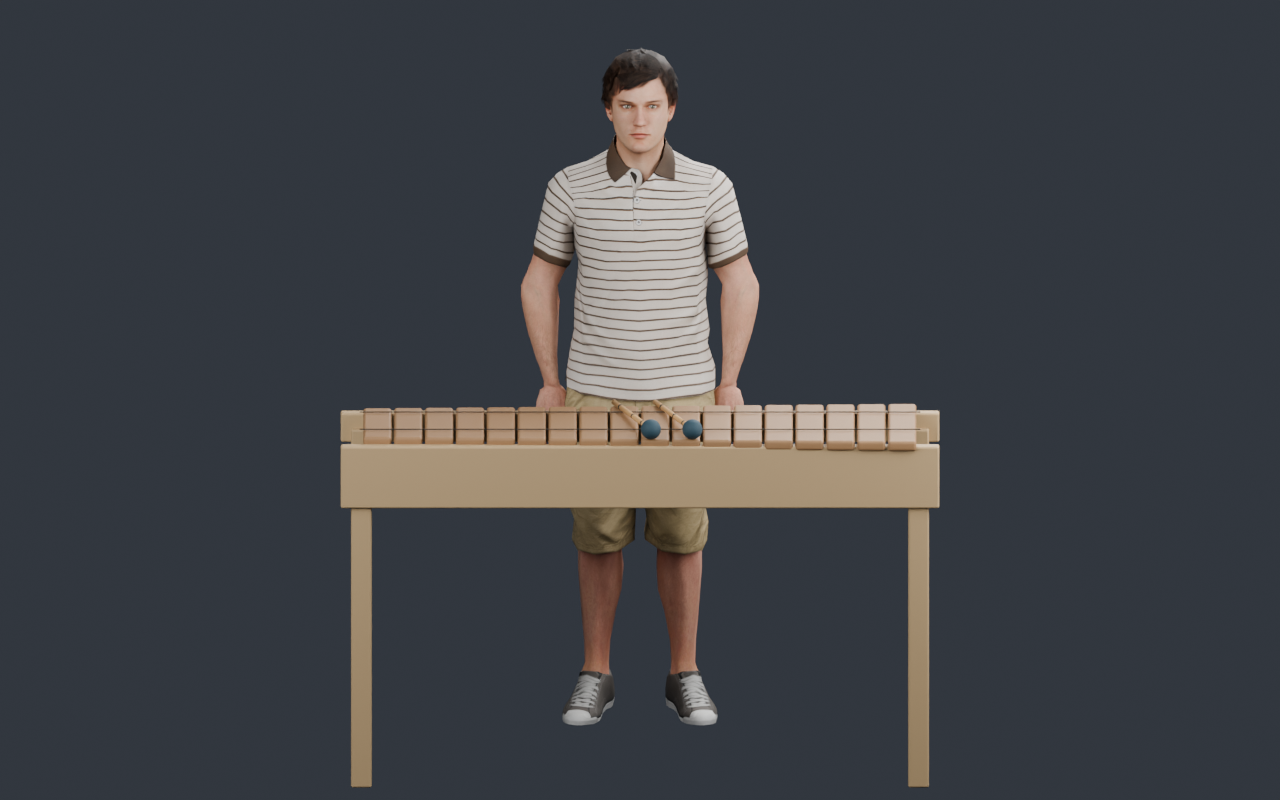
Virtual Marimba 3D brings an animated teacher into The Marimba Studio. Your teacher speaks to you, demonstrates notes on their marimba and guides you while you play yours. Choose a lesson, a musical game or a performance from their menu.
Log in, open the gold Virtual Marimba 3D button and tell your teacher what to call you. New players meet Prof Rumble first.
Follow a song one part at a time, copy a tune or tackle the Mountain Game. Listen to demonstrations and play using the keyboard or marimba bars.
Your chosen teacher, preferred name and saved song results belong to your account. Return to practise again and improve your best score.
Start small, listen closely and build towards a full song. Your teacher keeps you company through the learning process.
 Teacher Music Book
Your teacher demonstrates each part, then invites you to play it back. When you are ready, play the full song with its backing track and receive a score.
 CopyCat · Free with an account
Play a short tune and let your teacher copy it. Swap roles and try repeating the notes they play for you. A playful way to practise listening and musical memory.
 Mountain Game · Basic and above
Climb up and down the marimba through Beginner, Easy, Medium and Hard. Higher difficulties add bomb notes to avoid and reduce the guidance, giving you more to master.
 Marimba Performance · Premium & Ultimate
Build a playlist from your unlocked performance songs, or randomise the selection. Your teacher introduces each song, performs with the track and finishes the playlist with a bow.
Begin with Mary Had a Little Lamb, then explore the wider Music Book with Premium or Ultimate. Songs are grouped by difficulty so you can choose your next challenge.
Visit the changing room to browse teacher presets. Preview their appearance, rotate the character and zoom in for a closer look. Each teacher introduces themselves so you can hear their voice.
Start with the original Prof Rumble. Browse other available teachers, RP unlocks and the teacher collection included with Premium and Ultimate.
Preview the voice options and select the one you enjoy listening to. Your teacher uses your chosen voice as you explore the experience.
Use Settings to change what your teacher calls you, give the teacher a new name or change their voice without reopening the changing room.
Finish a full-song lesson to complete it at any score. Your best result only increases. A perfect performance brings a celebration with fireworks and a dancing teacher, plus a once-per-song Rumble Points reward.
Perfect-score rewards are awarded once per song. Replaying lets you practise, but does not repeat that song's reward.
Earn badges for lessons, games, teacher changes, settings and a full performance. Even an exactly 0% song has its own Messing Around badge.
Visit Leaderboard → Badges → My earned badges. Expand a badge to see its artwork, description and the date you earned it.
The Virtual Marimba 3D leaderboard displays completed-song counts and highest scores for participating public profiles.
Virtual Marimba 3D is a premium feature with a free starting experience. An account is required for every tier; subscription-only activities are clearly marked in the Studio.
Other teacher Music Book songs, the Mountain Game and performances are limited by your subscription tier. Some free-tier teachers require RP to unlock.
The full teacher Music Book, premium teacher collection and Marimba Performance require Premium or Ultimate.
Performance song unlocks use RP. This guide covers Virtual Marimba 3D; see Pricing for the other Studio benefits included in each plan.
View subscriptions →Yes, with limitations. Sign in to meet your teacher, play CopyCat and learn Mary Had a Little Lamb. Basic adds the Mountain Game. Premium and Ultimate include the full teacher Music Book, the available teacher collection and access to Marimba Performance.
Open the desktop Studio, log in and select the gold Virtual Marimba 3D 1.0 button beside Legacy Music Book. The Learn Mode and Legacy Music Book promotions also take you there.
No. The Legacy Music Book remains available. Virtual Marimba 3D has its own teacher-led Music Book, demonstrations, practice flow and full-song scores.
Step-by-step practice helps you work on the part you are learning. During the final full-song attempt, the track and note guide continue to the end. Your teacher then announces your score and offers the available next steps. Your saved best score cannot decrease.
Yes. Before your full-song attempt, choose Change speed, listen to the preview and adjust the speed. Press Done to keep the selection, then Start when you are ready.
Yes. Your preferences, chosen teacher and completed-song scores are stored with your signed-in account. Logging out closes access to Virtual Marimba 3D until you sign in again.
No. Each song's 100% reward is awarded once. You can still retry songs to practise, enjoy the music and improve your results.
Marimba Performance requires Premium or Ultimate. Performance songs are unlocked using RP; once unlocked, you can add them to your playlist again without buying the same unlock twice.
Open the desktop Studio and start with the free experience.